PROJECT
NTFS & MFT
Introduction (Done by jesse)
What is the $MFT? The $MFT, Master File Table, is the most important file in a NTFS file system. It keeps track of all files on the volume, their logical location in folders, their physical location on the hard, and metadata about the files, including:
Created Date, Entry Modified Date, Accessed Date and Last Written Date, in the Standard Information Attribute.
The Physical and Logical Size of the file
Permissions (security access) for the file
All this information is stored in an entry within the MFT, called (somewhat unsurprisingly) “MFT Entries”.
The MFT Entries are 1024 bytes, as standard. Every file and folder must have an MFT entry, to be recognized by the computer, including the MFT itself.
The first 16 entries of the MFT are reserved for NTFS system files, these include:
$MFT, $MFT Mirror, and $BitMap.
The MFT can expand but it never contracts, under normal use. This is very important for computer forensics investigators, as it affects the recovery of data and identification of deleted files.
When a file is deleted the MFT entry is marked as ready to be re-used. This entry will continue to exist until it is overwritten by a new file. When a new file is to be created on the hard drive it overwrites the next available MFT entry, if they are no spare entries ready to be overwritten then the MFT will start to expand.
Example1:
If there are 100 entries in the MFT and one file, File X, is deleted and then 1,000 more files are immediately created then the MFT entry for File X would be overwritten. Though the contents of the file may exist on the hard drive, the MFT entry which includes the name, metadata, etc., would be overwritten.
There are 10,000 entries in the MFT. 1,000 are deleted and 2 new files are immediately added to the drive. Therefore 998 entries should be recovered. Though if the data for the files is recoverable or not it will depend on if they have been overwritten.
These numbers may sound unlikely, but with website data being cached and then cleaned out, temporary files created from software installs, and then deleted, these sudden changes in file counts are not likely at all.
Additional information
The data for the file is separate from the MFT Entry. This leads to several possibilities during deletion and subsequent use of a hard drive.
1) The file is deleted but the MFT entry and the file data are 100% recoverable. The deleted file can be 100% recovered.
2) The file is deleted and the MFT entry is recoverable, but a portion of the file data is overwritten. This means that the file can only be partially recovered.
3) The file is deleted and the MFT entry is recoverable, but the file data is 100% over written. The file is not recoverable, but information about the file, name, dates, sizes, etc. is.
4) The file is deleted and the MFT entry and file data is 100% recoverable. The file is 100% lost. However forensic investigation could reveal a lot of information about the file, but not through the MFT, other forensic artefacts.
5) The file is deleted and the MFT 100% overwritten, but the file data has not been 100% overwritten. The remaining file can be carved out from the unallocated space on the hard drive. The ability to carve the data would depend on fragmentation, amount of recoverable data (it could be 100%) and nature of the file
There are other permutations, where the MFT entry is not 100% over written, leaving MFT file slack.
Small resident files:(Done by Daren)
Process:
-
Open FTK Imager
-
Add evidence item
-
Pick physical drive
-
Expand the partition 4 tab
-
Expand the NONAME(NTFS)
-
Click root
-
Click on the $MTF file
-
Left click and press find to locate any file in the MFT
-
Small resident files and folders (typically, 900 bytes or smaller) are entirely contained within the file's MFT record. Small files and directories (typically 1,500 bytes or smaller) are entirely contained within the file's MFT record. 00-00 is a resident
-
00-01 is the non resident
-
80 after 4 bytes is the file size, when the file was created, modified, and when the last file access was
-
all those attributes that can be made non-resident are moved out of the MFT. If there is still not enough room, then an $ATTRIBUTE_LIST attribute is needed. The remaining attributes are placed in a new MFT record and the $ATTRIBUTE_LIST describes where to find them. It is very unusual to see this attribute.
-
Non-resident attributes are stored in intervals of clusters called runs. Each run is represented by its starting cluster and its length. The starting cluster of a run is coded as an offset to the starting cluster of the previous run. Normal, compressed, and sparse files are all defined by runs.
-
Data runs:
-
8 34 56 00
-
21 18 34 56 - 00 (regrouped)
-
Run 1:
Header = 0x21 - 1 byte length, 2 byte offset
Length = 0x18 (1 byte)
Offset = 0x5634 (2 bytes)
-
Run 2:
Header = 0x00 - the end
-
Summary:
0x18 Clusters @ LCN 0x5634

(Done by:Feras )


small non-resident files
(Done by shaquelle)

The word document: https://drive.google.com/file/d/1ETdO4P7PqnNqxLCNJahg4sXhuCuN9rog/view?usp=sharing

small non-resident files
medium size non-resident files with resident attribute list (attribute 0x20)

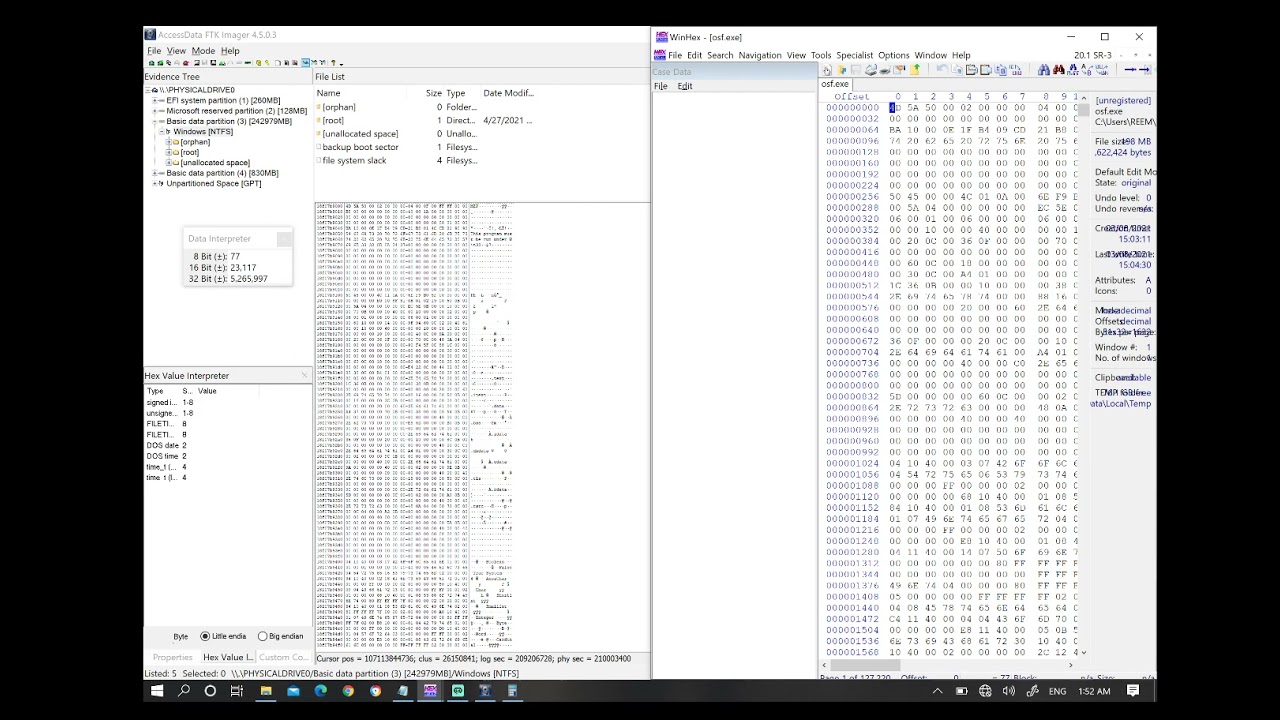
attribute 0x20 resident
(Done by feras)
some pictures can help you:
https://l.top4top.io/p_1945tokdb1.png https://a.top4top.io/p_1945pz1ja2.png https://b.top4top.io/p_19454wpp03.png https://c.top4top.io/p_19457ff4x4.png https://d.top4top.io/p_19452wf5x5.png https://e.top4top.io/p_1945jyck36.png https://f.top4top.io/p_1945h4esx7.png https://g.top4top.io/p_1945qxlhw8.png
all the picture:
https://drive.google.com/file/d/16bdZdd4Swl-5E5FyyLvkPVEyF_CVUgtX/view?usp=sharing
(attribute 0x20) Larger files with non-resident attribute list.

(Done by khalid)

LINKS
(small resident file): https://www.youtube.com/watch?v=mhmNaa7K-6U
(small non-resident files)The word document: https://drive.google.com/file/d/1ETdO4P7PqnNqxLCNJahg4sXhuCuN9rog/view?usp=sharing
(medium size non-resident files with resident attribute list (attribute 0x20)) . some picture can help you:
https://l.top4top.io/p_1945tokdb1.png
https://a.top4top.io/p_1945pz1ja2.png
https://b.top4top.io/p_19454wpp03.png
https://c.top4top.io/p_19457ff4x4.png
https://d.top4top.io/p_19452wf5x5.png
https://e.top4top.io/p_1945jyck36.png
https://f.top4top.io/p_1945h4esx7.png
https://g.top4top.io/p_1945qxlhw8.png
all the picture:
https://drive.google.com/file/d/16bdZdd4Swl-5E5FyyLvkPVEyF_CVUgtX/view?usp=sharing